Stop describing it over the phone. Show it on screen.
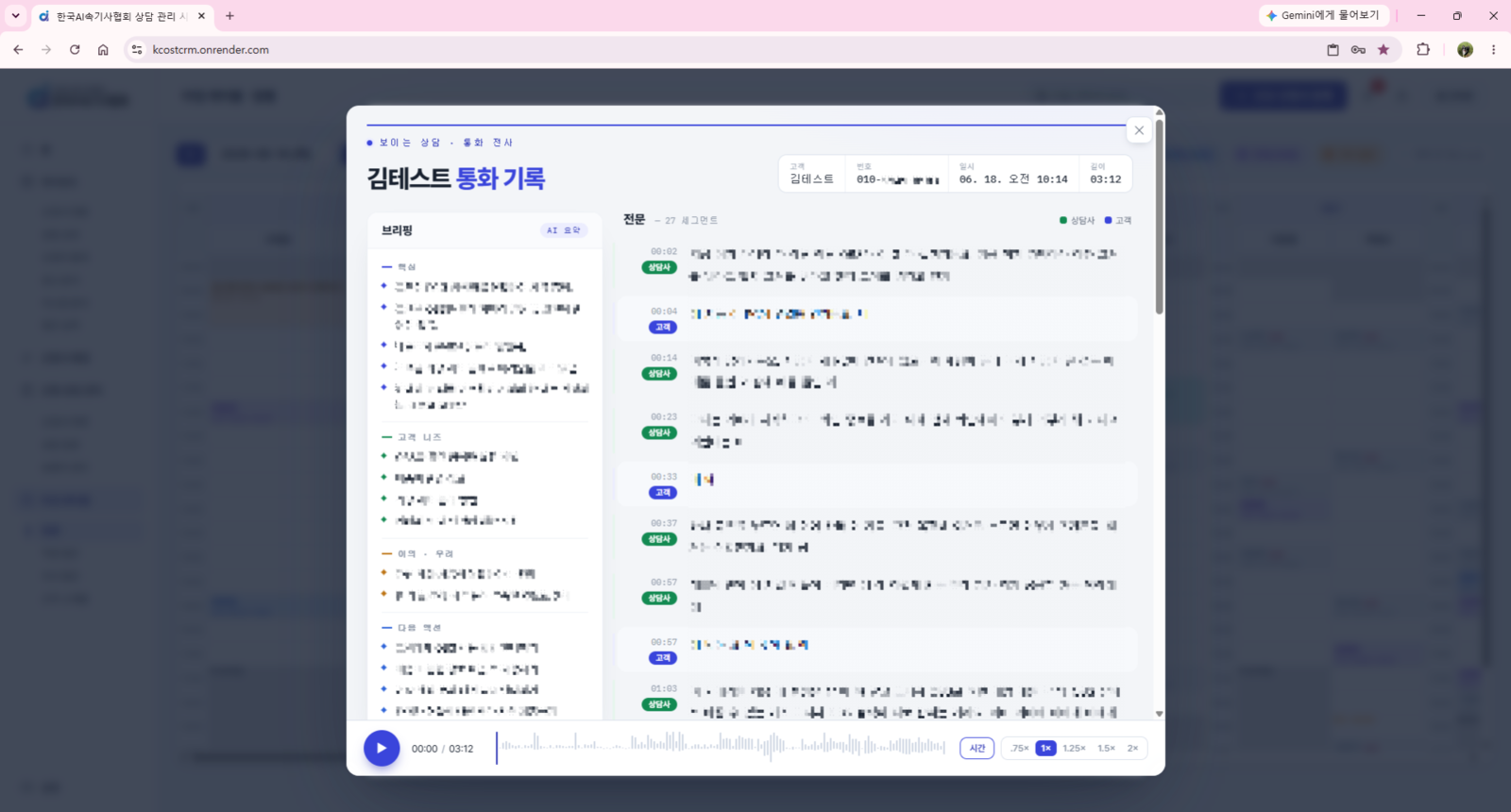
A visual consultation solution: share your screen with customers through a single link — no app install, no permission requests — while the call, screen, and STT are automatically bundled into the consultation record.

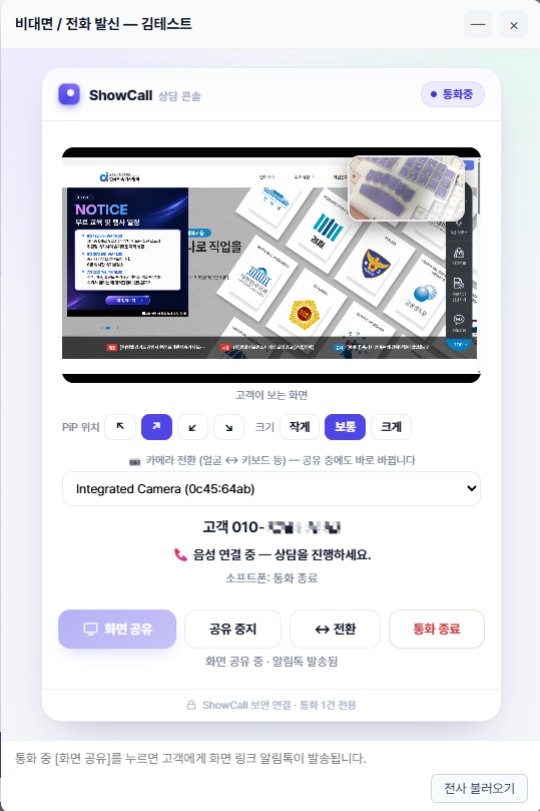
Share the agent's screen with the customer in real time, mid-call. Customers install nothing and grant no camera or microphone permissions. One KakaoTalk notification link and the screen simply appears — visual consultation with no install, no permissions, and no lag.
Remote consultations where policy terms, coverage comparison tables, and certificate screens need to be shown while explained.
High-involvement remote sales where product specs, pricing plans, and complex material must be confirmed on screen.
Teams looking to lift phone-sales conversion rates to the next level.
Agents just dial. The softphone call is automatically bundled with the screen-share room, the KakaoTalk notification, and STT — no separate tools, no room setup.

Every consultation is automatically transcribed and summarized, then analyzed for tone, script compliance, and customer pain points — feeding directly into coaching.

From dial to record, in four steps
Place a call on the softphone (cxVisor call stack) and a call session is automatically paired with a screen-share room.
One tap sends a KakaoTalk notification link — higher click-through than SMS, with a clearly identified sender.
The customer taps the link and sees the screen via WebRTC in under 0.5 seconds. View-only, so there are no permission pop-ups and no app to install.
The consultation is transcribed and summarized without interruption, flowing automatically into analysis and coaching.
From first consultation to tailored deployment, Timbel is with you.